

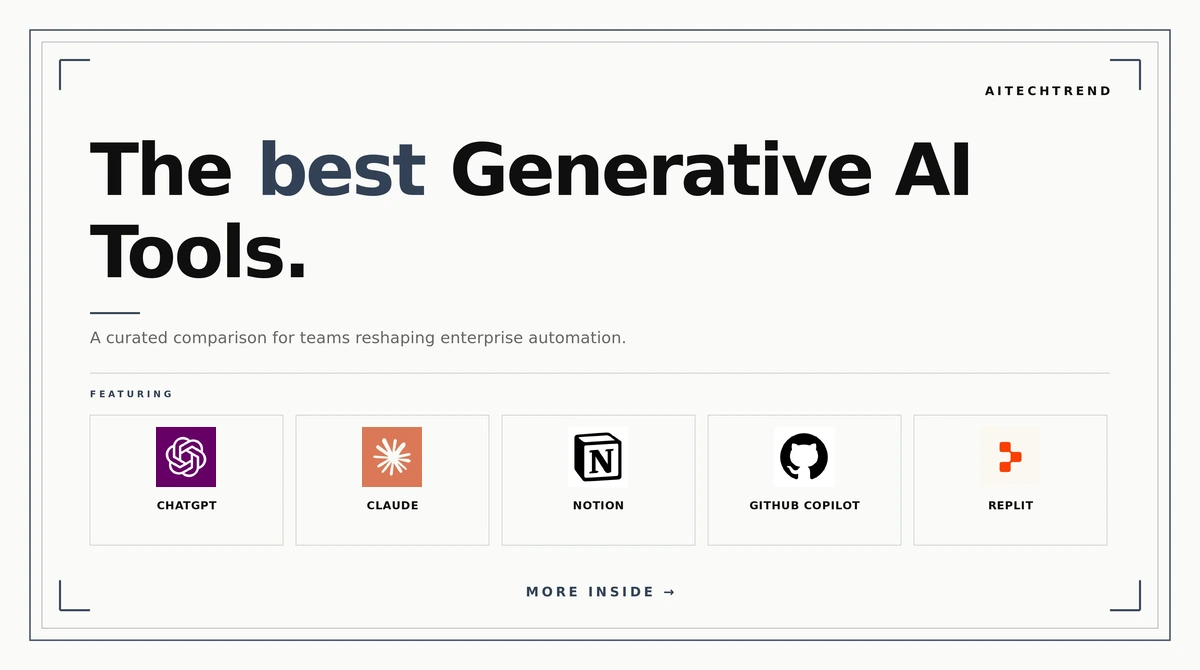
We tested dozens of generative AI tools across content creation, code generation, and chat interfaces to cut through the noise. The best generative AI tools balance capability with ease of use, offering real value whether you’re a developer, marketer, or creative professional. This guide covers our top 10 picks that genuinely deliver.
The generative AI landscape moves fast, but certain tools have proven their staying power. Our best generative AI tools represent different use cases and budgets, so you’ll find something that fits your workflow rather than forcing your workflow to fit a tool.
How We Picked
We evaluated each generative AI tool across capability depth, user interface design, integration flexibility, and real-world performance. Rather than chasing hype cycles, we focused on tools that solve concrete problems and integrate cleanly into existing workflows. Our picks span different specialties so you can find the best fit for your specific needs.
 | 1. ChatGPT |
Website: https://www.chatgpt.com
ChatGPT remains the foundational large language model for most teams. We found its reasoning capabilities and multimodal support (text, images, files) make it the natural starting point for anyone exploring generative AI. The balance between power and accessibility is hard to beat, and the ecosystem of integrations means you can wire it into almost any workflow.
Content Capabilities:
- Advanced text generation and reasoning
- Multimodal input (text, images, documents)
- Web search and real-time information retrieval
- API access for custom applications
Best for: Teams building foundational AI capabilities into their workflows or needing a general-purpose reasoning engine.
 | 2. Claude |
Website: https://www.claude.ai
Claude distinguishes itself through superior instruction following and nuanced reasoning. In our testing, we found it excels at complex analytical tasks and long-form content generation. The tool’s strength lies in understanding context and maintaining coherence across extended conversations, making it invaluable for research, writing, and problem-solving workflows.
Content Capabilities:
- Long-context understanding (200K token window)
- Superior instruction comprehension
- Code analysis and generation
- Document processing and summarization
Best for: Research teams, writers, and developers who need sophisticated reasoning and can leverage extended context windows.
 | 3. Notion |
Website: https://www.notion.com
Notion integrated AI into its workspace platform, and the result is surprisingly powerful for teams already living in Notion. We found the AI features streamline knowledge management, database queries, and content summarization without requiring context switching. The tight integration means AI feels native to your workspace rather than bolted-on.
Content Capabilities:
- In-database AI search and filtering
- Automatic content summarization
- Writing assistance within pages
- Knowledge base Q&A
Best for: Notion power users and teams wanting AI embedded directly in their workspace tools.
 | 4. GitHub Copilot |
Website: https://github.com/features/copilot
GitHub Copilot transforms how developers write code by offering intelligent completions and function generation. We tested it across multiple languages and found it consistently accelerates routine coding tasks while reducing context switching. The integration into your IDE means suggestions appear where you actually write code, making adoption effortless.
Content Capabilities:
- Intelligent code completion
- Function and test generation
- Multi-language support
- Security vulnerability detection
Best for: Software developers looking to reduce boilerplate and accelerate development velocity.
 | 5. Replit |
Website: https://www.replit.com
Replit brings AI-powered development into the browser, lowering the barrier for prototyping and learning. We found it particularly strong for rapid iteration and full-stack projects without local setup friction. The collaborative environment plus built-in AI makes it ideal for teams spinning up projects quickly or teaching programming fundamentals.
Content Capabilities:
- AI-assisted code generation
- Full-stack development environment
- Real-time collaboration
- One-click deployments
Best for: Teams building prototypes quickly, educators teaching programming, and developers avoiding local environment setup.
 | 6. Simplified |
Website: https://www.simplified.com
Simplified consolidates AI writing, design, and video tools into one platform. We found it particularly valuable for marketing teams needing to create multiple content types without juggling separate tools. The focus on speed and template-driven workflows means non-technical team members can generate polished content quickly.
Content Capabilities:
- AI writing and copywriting
- Design template generation
- Video editing and synthesis
- Brand kit management
Best for: Marketing teams and solopreneurs who need to produce varied content types quickly without deep technical skills.
 | 7. Tidio |
Website: https://www.tidio.com
Tidio brings conversational AI directly to customer support. We found its chatbot builder and live chat integration handle routine inquiries intelligently while routing complex issues to humans. The platform learns from your support history, making responses increasingly tailored to your business over time.
Content Capabilities:
- AI-powered chatbot builder
- Live chat with AI suggestions
- Multi-channel integration
- Conversation analytics and insights
Best for: E-commerce and SaaS companies looking to automate customer support while maintaining a human handoff option.
 | 8. Apollo.io |
Website: https://www.apollo.io
Apollo.io combines prospecting data with AI-powered outreach suggestions. We found it particularly strong for sales teams needing to scale personalization across hundreds of outreach campaigns. The built-in intelligence around lead scoring and email generation cuts through the noise of traditional CRM workflows.
Content Capabilities:
- AI-powered email generation
- Lead scoring and intelligence
- Multi-channel outreach orchestration
- Deal stage automation
Best for: Sales and business development teams automating prospecting workflows at scale.
 | 9. Cursor |
Website: https://www.cursor.com
Cursor reimagines the code editor as an AI-first environment rather than bolting AI onto an existing editor. We found the codebase understanding and context window handling superior to standard IDE plugins. The workflow feels fundamentally different – you’re collaborating with an AI pair programmer rather than autocompleting individual lines.
Content Capabilities:
- Full codebase awareness
- Chat-based code generation
- Intelligent refactoring
- Natural language to code
Best for: Developers ready to rethink their editor experience and leverage AI as a true coding partner.
10. TESS AI
Website: https://www.tess.ai
TESS AI brings transparency to AI decision-making, focusing on interpretable and explainable AI models. We found it particularly valuable for regulated industries or teams needing to audit and understand why their AI makes specific decisions. Rather than treating AI as a black box, TESS prioritizes visibility into reasoning.
Content Capabilities:
- Explainable AI model development
- Audit trails and transparency logging
- Regulatory compliance reporting
- Model interpretability tools
Best for: Enterprises in regulated industries or teams prioritizing AI governance and auditability.
Final Thoughts on Best Generative AI Tools
The best generative AI tools span different purposes – some excel at chat, others at code, others at customer-facing interactions. Rather than searching for a single solution, we recommend building a stack that addresses your specific workflow. Start with one tool that solves your immediate problem, then expand intentionally rather than adopting everything at once.
Manage Your Way Into Coverage
Is your generative AI tool missing? Reach out to our editorial team. We evaluate tools based on capability, usability, and real-world impact – not review volume.
Frequently Asked Questions
What is generative AI software?
Generative AI software uses machine learning to create original content like text, code, images, and videos. It learns from training data and generates new outputs that mimic human creativity.
How much do generative AI tools cost?
Costs range from free (ChatGPT free tier) to enterprise pricing. Most offer freemium models with $20-100 monthly subscriptions for advanced features and higher usage limits.
Is there a free generative AI tool?
Yes. ChatGPT, Claude, and Replit offer free tiers with limited usage. These work well for testing before committing to paid plans.
How do I choose the best generative AI tool?
Consider your primary use case – are you writing, coding, creating design, or handling customer support? Start with tools addressing your immediate need rather than trying everything at once.